

Simple dayclock, stimulates sense of time for elderly with dementia/Alzheimer's
Calendar Clock provides structure and increases self-reliance in people with cognitive disorders.
Take control of your life with Calendar Clock, the essential App for those affected by memory problems such as from Dementia and Alzheimer's.
Empower yourself or your loved ones with Calendar Clock, the indispensable app designed to cater specifically to the needs of the elderly, individuals with dementia, and those affected by memory problems. This comprehensive tool combines a clock, agenda, reminders, and personal messages to provide a seamless and supportive experience for individuals facing memory impairment or a reduced sense of time.
How it works:
1. Install this Calendar Clock app of the device on which it should be used;
2. Install the Calendar Clock Administrator app on a device which should be used to control the settings/messages/alarms of this device;
3. Connect the two apps and control this app remotely!
Key Features:
- Simple and Free: Download and start using Calendar Clock immediately, free of charge.
- Universal Compatibility: use Calendar Clock across a wide range of devices, both new and old, large or small.
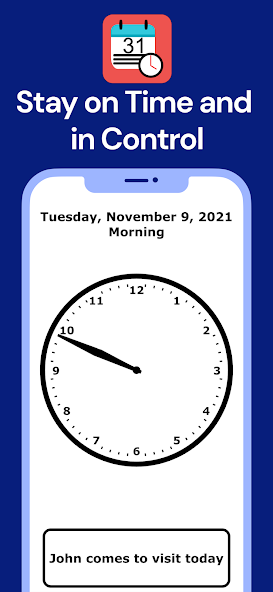
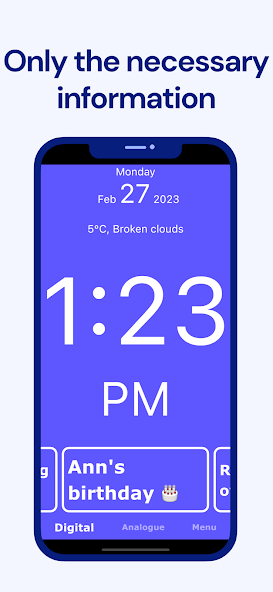
- Time at a Glance: View the time of day in either analogue or digital format, keeping you oriented throughout the day.
- Customizable Appearance: Personalize the look and feel of Calendar Clock to suit your preferences with a variety of customizable color schemes.
- Video calling: Administrators can always start a video connection to make sure everything is okay.
- Offline Access: Use Calendar Clock even without an internet connection, ensuring constant availability.
- Comprehensive Menu: Access an intuitive menu screen that can be easily disabled, simplifying the user experience.
- Full-Screen Mode: Maximize the visibility and focus on Calendar Clock by utilizing the immersive full-screen mode.
- Weather Updates: Stay informed about the current temperature and weather conditions in your preferred city.
- Cherished Memories: Display multiple photos alongside the clock, allowing you to reminisce and stay connected with your loved ones.
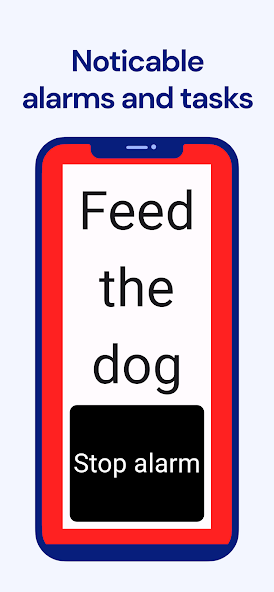
- Smart Alarms and Confirmations: Set reminders and receive reading confirmations to stay on top of important tasks and appointments.
- Soothing Chimes: Enable clock chimes to create a calming atmosphere and enhance time perception.
- Multilingual Support: Available in multiple languages, including Bulgarian, Czech, Danish, Dutch, Estonian, Finnish, French, German, Hebrew, Hungarian, Indonesian, Italian, Lithuanian, Norwegian Bokmål, Slovenian, Spanish, Swedish, Turkish, UK English, and US English.
- Administrator Connectivity: Enhance functionality by linking Calendar Clock with the dedicated "Calendar Clock Administrator" app. Caretakers, professionals, relatives, or friends can remotely schedule, edit, and delete messages and reminders, ensuring seamless coordination.
- Minimalist Design: Enjoy a clutter-free interface with clear, large letters that facilitate effortless usage.
Experience the power of Calendar Clock and transform your daily routine into a well-organized and connected journey. Download now and discover the convenience of staying on top of your schedule while fostering meaningful connections with those around you.
Privacy and data processing
The app allows you to save calendar items and personal messages and settings on the Calendar Clock system via a secure connection. This data is only accessible to people with your permission. Calendar Clock stores this data only so that it can be changed by the administrator(s) . We do not process or analyse this data and it can also be deleted at any time upon request. For more information on this, see our Privacy Policy or contact us.








 Download