• Home
  • Game
    Action Simulation RPG Sports Casual Cards Music Puzzle Shooting Romance
  • Apps
    Business Social Lifestyle Shopping Tools Travel Finance Education News Health
  • Articles

English 中文(简体) 中文(繁体) 한국어 日本語 Português Español Русский العربية Indonesia Deutsch Français ภาษาไทย
Home Apps Tools Child Proof Gadget-Child Lock
Child Proof Gadget-Child Lock

Child Proof Gadget-Child Lock

1
2
3
4
5
Download
  • Version 4.6
  • Category Tools
  • Package Name com.lee.childlock
  • Update Time June 3, 2025
  • Size 2.31MB
About this app

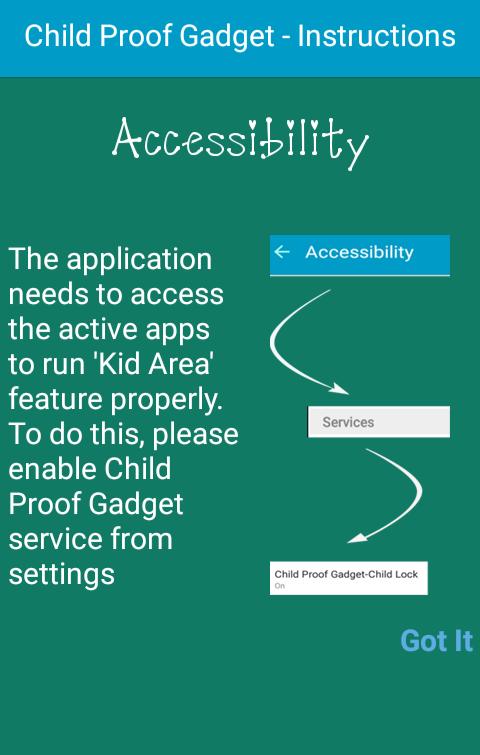
Child Proof Gadget helps parents to allow their kids to use smartphone safely.

Have you ever experienced that your small kid has deleted some of your contacts / sent a message to one of your contacts / deleted some of your mails / changed the settings on your phone / etc.?

If yes, then this app is for you!

This app secures all your data, contacts, mails, messages, photos, etc. from being accidentally deleted by your child.

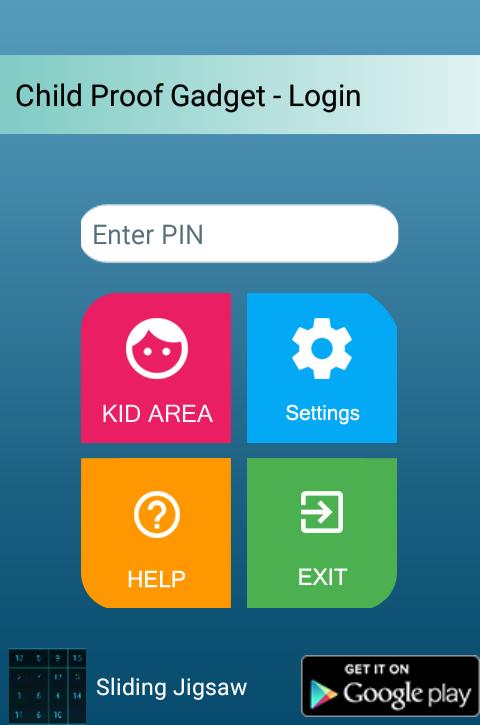
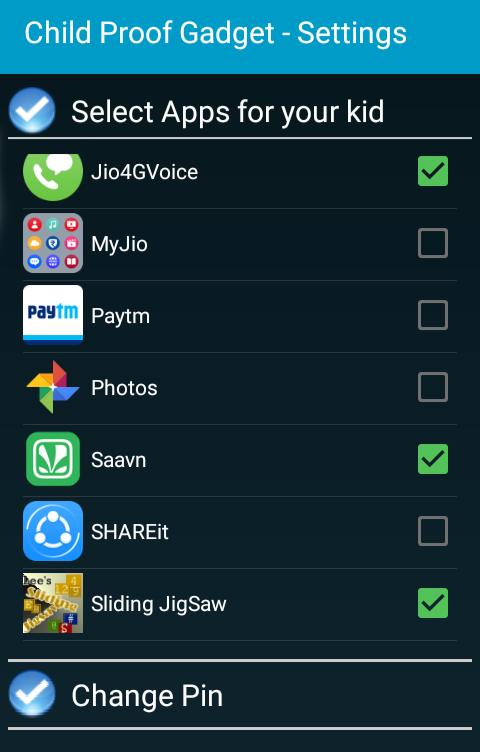
This app creates a place (Kid Area) on your phone for kids. You can select the apps on your phone (games, puzzles, etc.) which you want to be allowed for your kids.

Steps:

1. Download and install Child Proof Gadget from Google Play Store

2. Open Child Proof Gadget on your phone

3. Create a PIN

4. Select the apps in the Settings section

5. Go to Kid Area

Your selected apps will be visible in Kid Area. Now you can give your phone to your kid (to play games, etc.). He / she cannot access other applications, files, gallery, contacts, etc.

Important:

1. If you want to start the app and forgot the PIN, please clear the data from Settings à Manage Applications à Child Proof Gadget… Then start the app. It will ask you to register a fresh PIN.

2. It will always ask for the PIN to exit from the Kid Area. If you are in Kid Area and forgot the PIN, just restart the device.

Features:

1. This application is safe (it does not collect and store your private data)

2. It is very light and fast

3. It can be installed or moved to SD Card.

4. It is compatible with Android OS version 2.2 and up

If your friends ask for you mobile phone, just open the Kid Area and then give the phone (no one will be able to see the apps, contacts, emails, messages, etc. which you do not want to show).
Download(2.31MB)
Users also viewed
  • KFVS12 First Alert Weather

    KFVS12 First Alert Weather

    5.15.411 January 16, 2026
  • Cinche Gallery

    Cinche Gallery

    1.2.1 January 16, 2026
  • Length Fraction Calculator

    Length Fraction Calculator

    1.1 January 16, 2026
  • Kansas City Weather Radar KCTV

    Kansas City Weather Radar KCTV

    v4.35.1.1 January 16, 2026
  • topksk

    topksk

    1.3 January 16, 2026
  • TV Universal Control Remote

    TV Universal Control Remote

    5.0.2 January 15, 2026
  • weather warnings and alerts

    weather warnings and alerts

    16.6.0.6271_50157 January 15, 2026
  • Ruqyah

    Ruqyah

    2.3 January 14, 2026
  • All Photo Frames

    All Photo Frames

    1.10 January 13, 2026
  • MYAndroid Protection

    MYAndroid Protection

    2.0.68 January 13, 2026
  • CloudKeyz

    CloudKeyz

    1.1.8 January 13, 2026
  • Clock Tuner

    Clock Tuner

    3.20 January 13, 2026
  • Muzei - Dota

    Muzei - Dota

    1.0 January 13, 2026
  • dodol Keyboard

    dodol Keyboard

    1.86 January 12, 2026
  • Pollution Care

    Pollution Care

    1.6 January 12, 2026
About Privacy Policy Terms of Service Cooking Policy

© Copyright 2017-2026 downzs.com