• Home
  • Game
    Action Simulation RPG Sports Casual Cards Music Puzzle Shooting Romance
  • Apps
    Business Social Lifestyle Shopping Tools Travel Finance Education News Health
  • Articles

English 中文(简体) 中文(繁体) 한국어 日本語 Português Español Русский العربية Indonesia Deutsch Français ภาษาไทย
Home Apps Business Cloudpipes for Dropbox
Cloudpipes for Dropbox

Cloudpipes for Dropbox

1
2
3
4
5
Download
  • Version 1.6.1
  • Category Business
  • Package Name com.maximussoft.cloudpipes
  • Update Time December 15, 2024
  • Size 1.76MB
About this app

Take control of your Data!

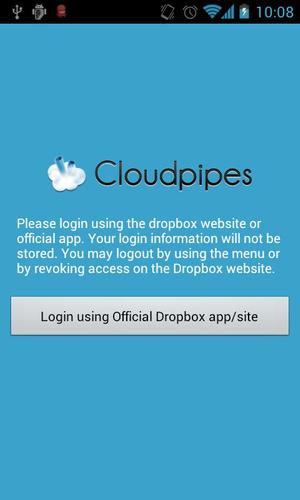
Cloudpipes is a versatile Dropbox automation tool.

Cloudpipes has a

- powerful Dropbox file manager

- powerful scheduler

What it can do

It can be used for file organisation, backup or automate file transfers. You can send or receive files from the cloud seamlessly whenever you want.

You can manage your media by scheduling an upload of your Camera folder, or downloading your mp3 playlist every morning.

Also, contains a powerful Dropbox browser that can upload/download whole folders at once!

How it works

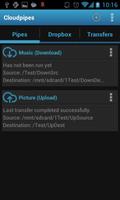
You create pipes that link a remote dropbox folder to a folder on your device. From here you can upload or download files at a given time. You can schedule the transfers when you want.

Features

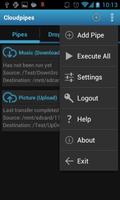
- Custom pipes! Direct your files to where you want to!

- Scheduler

- File filter (filter which files to transfer)

- Power aware (transfer on WiFi or on charge)

- Bandwidth aware (does revision checking on files)

- Runs in background without consuming extra processing

- Notifications

- Integration

- Dropbox browser with Folder upload/download capabilities

- Starts on boot

Usage suggestions

http://cloudpipes.wordpress.com/usage-suggestions/

Limitations

The Dropbox API limits the maximum file upload size to 150 MB.

Support the developer by buying the eXTenDeD version of Cloudpipes.

Please report issues to [email protected] so that the app can be improved.

Disclaimer

Please be aware that the developer takes no responsibility for loss of data or any other implications.

What's New in the Latest Version 1.6.1

Last updated on Sep 3, 2015 Ver 1.6.0 (03/12/2013)
Fixed issues with OneWaySync, in location of files and deletion of files
Fixed uninitialized map error

Ver 1.5.8 (03/08/2013)
Sanitizes pipe data

Ver 1.5.7 (02/08/2013)
Fixes for Android 4.3

Ver 1.5.4 (21/07/2013)
- Added new Wizard info screen
- Added support for Tasker plugin (coming soon)
- Some minor improvements
Download(1.76MB)
Users also viewed
  • Business Clock Widget - Free

    Business Clock Widget - Free

    2.1.1 January 28, 2026
  • Note Pad

    Note Pad

    1.0.4 January 27, 2026
  • Keithley IVy -Test Your Device

    Keithley IVy -Test Your Device

    1.1.0 January 27, 2026
  • Arquitectura Virtual

    Arquitectura Virtual

    1.0 January 27, 2026
  • Baltis New Guia

    Baltis New Guia

    1.2 January 26, 2026
  • TreeView. Library Demo

    TreeView. Library Demo

    1.2.4 January 26, 2026
  • Corp

    Corp

    2.5 January 26, 2026
  • Ncell App Camp

    Ncell App Camp

    1.3.1 January 26, 2026
  • Recent Apps

    Recent Apps

    1.02 January 25, 2026
  • New Fhx Server A 2017

    New Fhx Server A 2017

    1.0 January 25, 2026
  • CardTest

    CardTest

    1.1 January 24, 2026
  • Opticon

    Opticon

    6.36.0.0 January 24, 2026
  • #Launchr for Google Now

    #Launchr for Google Now

    0.9.99 (BETA) January 23, 2026
  • Windows  Command  Line

    Windows Command Line

    2 January 22, 2026
  • Clean Calendar Widget

    Clean Calendar Widget

    5.3 January 21, 2026
About Privacy Policy Terms of Service Cooking Policy

© Copyright 2017-2026 downzs.com