

Secure password, notes, bank cards manager with unique graphical interface
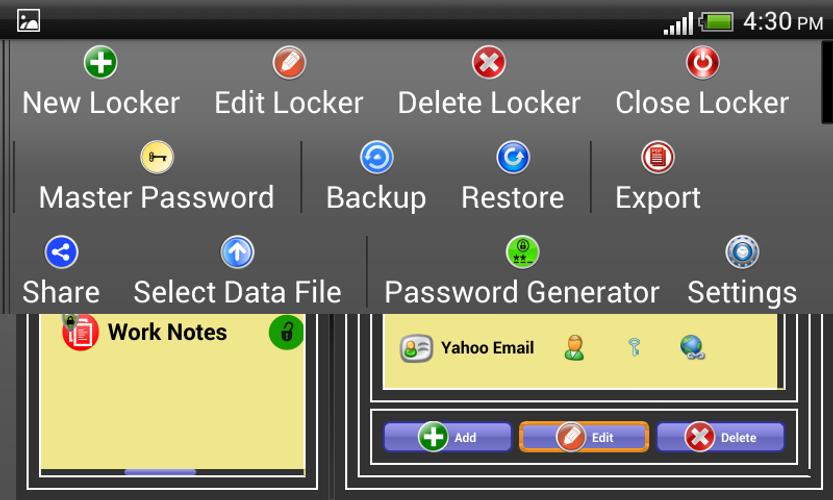
IDLocker - Password Manager is a multifunctional password manager. It can be used as a password manager, secure notes diary, or for keeping bank cards information in a secure place.
Product Features:
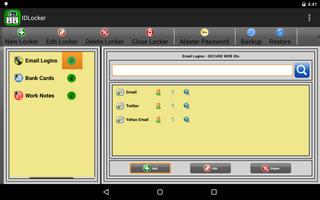
1. It can be used as Password Manager, Bank Cards Manager, or Secret Notes Diary
2. All of the important information is stored in encrypted form, and no one can decrypt it without knowing your password.
3. Army strength encryption algorithm based on AES encryption. AES is a specification for the encryption of electronic data established by the U.S. National Institute of Standards and Technology (NIST).
4. Support for all major languages. App can store data in English, German, French, Spanish, Greek, Italian, Arabic, Hindi, Urdu, Chinese, Japanese and many more.
5. App can launch the website from within the Locker, and your password is copied over to clipboard and available to paste anywhere.
6. It can export all the confidential data and passwords to PDF files in plain text for printing.
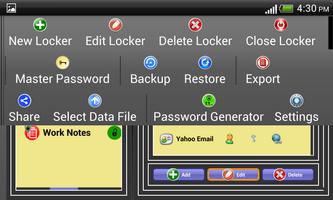
7. Set individual passwords for Locker or link them with Master Password.
8. Password generator for generating random and robust passwords.
9. Backup and Restore
10. Share data file between Android and Windows.
Description:
Since every social network, blog or forum requires a username and a password, it can get quite difficult to remember every account you may have active on the Internet. Same is the case for bank cards and confidential notes. Hence, it can be useful to store the details in a single location and retrieve them whenever they are required, while also keeping them safe from unauthorized access.
IDLocker is a secure virtual locker app, which you can use it as a password manager, login assistant, secret notes diay, or for keeping bank cards information in a secure place. App allows to create three different types of locker. You can set individual password for each locker, or link them with one Master Password to unlock. Isolated from the Internet. All of your confidential data is stored in encrypted form on your device or computer. Never again forget a user name, password, PIN code. Now you can store as many passwords as you want without worrying about secure storage. Stop filling in the same forms over and over. You can export all of your confidential data in PDF form for printing and saving a hard copy in a secure place.
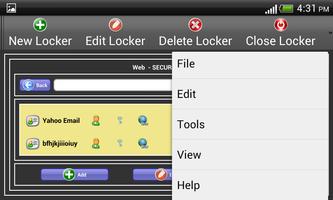
IDLocker - Password Manager has very unique user interface, designed in the form of secure virtual lockers. Password generator is also built in for generating random and robust passwords.
With all these features IDLocker can be used as password manager, login assistant, secret notes diary, or for keeping other confidential information safe and away from the unauthorized access.
Currently this password manager is available for Android and Windows. Future releases are planned for Mac, iOS and Linux.


![[FREE]AppRunTimeChecker](https://images.downzs.com/uploads/20260906/logo_6a9d577d937051.jpg)



 Download