• Home
  • Game
    Action Simulation RPG Sports Casual Cards Music Puzzle Shooting Romance
  • Apps
    Business Social Lifestyle Shopping Tools Travel Finance Education News Health
  • Articles

English 中文(简体) 中文(繁体) 한국어 日本語 Português Español Русский العربية Indonesia Deutsch Français ภาษาไทย
Home Apps Tools ilos screen recorder
ilos screen recorder

ilos screen recorder

1
2
3
4
5
Download
  • Version 1.7.0
  • Category Tools
  • Package Name com.icos.ilos.uploader
  • Update Time December 16, 2024
  • Size 3.76MB
About this app

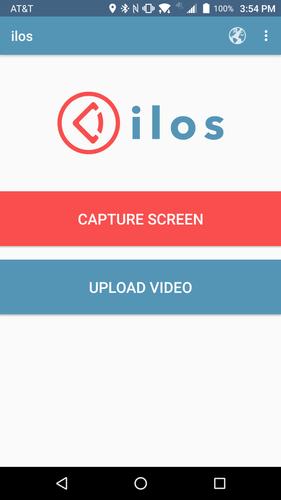
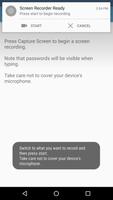
Record your device's screen!

Free users

Use our mobile screen recorder to record videos from your Android 5.0 Lollipop or later device, share them on Youtube, Drive, Dropbox, or Facebook etc. Or simply save them directly to your mobile device.

No ads. No watermark. No time limit.

Paid users

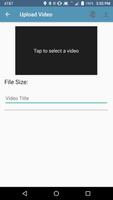
Access the entire ilos ecosystem including a desktop screen recorder for Windows, Mac, and Linux. Quickly share videos on the ilos platform, organize them into playlists, or set video permissions, add users and user groups, upload videos from your computer.

What are people saying?

"The ilos screen recorder app works like a charm" -theandroidsoul.com

"The Easiest Way to Record Your Screen in Android Lollipop" - wonderhowto.com

Listed in Top 36 new Android Apps- Android Police

http://www.androidpolice.com/2014/11/19/36-best-new-android-apps-and-live-wallpapers-from-the-last-2-weeks-11614-111914/

FAQs

Q: Does ilos record audio?

A: Yes. Audio is recorded from your device's microphone.

Q: Does ilos require a rooted device to record the screen?

A: No but Android 5.0 or later is required for screen recording functionality.

A product of ICOS, LLC, St. Paul, Minnesota, U.S.A.

For more information please visit: https://www.ilosvideos.com/ or call (651) 560-6447

Terms of Use can be found at: https://www.ilosvideos.com/?p=terms
What's New in the Latest Version 1.7.0

Last updated on Feb 1, 2017 Update 1.7.0
Ability to automatically start a new recording when the duration limit is reached

Update 1.5.0
Fixed bug when recording was paused and then stop was pressed
UI updates

Update 1.4.0
User interface updates
Ability to record in portrait orientation
Ability to set maximum recording duration

Update 1.3.1
Minor bug fixes and improvements

Update 1.3.0
New login method
Fixed video link button after video has been uploaded

Update 1.2.5
Updated branding
Fixed login issues
Download(3.76MB)
Users also viewed
  • Bloco de Notas Premium

    Bloco de Notas Premium

    1.0.0.41 April 20, 2026
  • Door and Window Design

    Door and Window Design

    1.11 April 20, 2026
  • < 1 GB RAM Cleaner

    < 1 GB RAM Cleaner

    1.6 April 20, 2026
  • BK SoftHome

    BK SoftHome

    1.0 April 19, 2026
  • Wallpaper Cars Nitro

    Wallpaper Cars Nitro

    4.0 April 19, 2026
  • Neon Painting

    Neon Painting

    1.0.7 April 19, 2026
  • AlertaBlu

    AlertaBlu

    100.14 April 19, 2026
  • dogeweather

    dogeweather

    1.3 April 19, 2026
  • Live Weather: Clock and Widget

    Live Weather: Clock and Widget

    1.0 April 19, 2026
  • JuiceDefender beta

    JuiceDefender beta

    3.9.4beta April 19, 2026
  • DiffTool

    DiffTool

    2.08 April 19, 2026
  • Glass Chips Locker Theme

    Glass Chips Locker Theme

    1.200.1.74 April 18, 2026
  • Live Air

    Live Air

    3.1 April 18, 2026
  • Pimp my Band

    Pimp my Band

    1.2 April 17, 2026
  • Arachnophobia Free LW

    Arachnophobia Free LW

    1.18 April 17, 2026
About Privacy Policy Terms of Service Cooking Policy

© Copyright 2017-2026 downzs.com