

Visualize, Interact, Share: Quick I-V characterization without programming
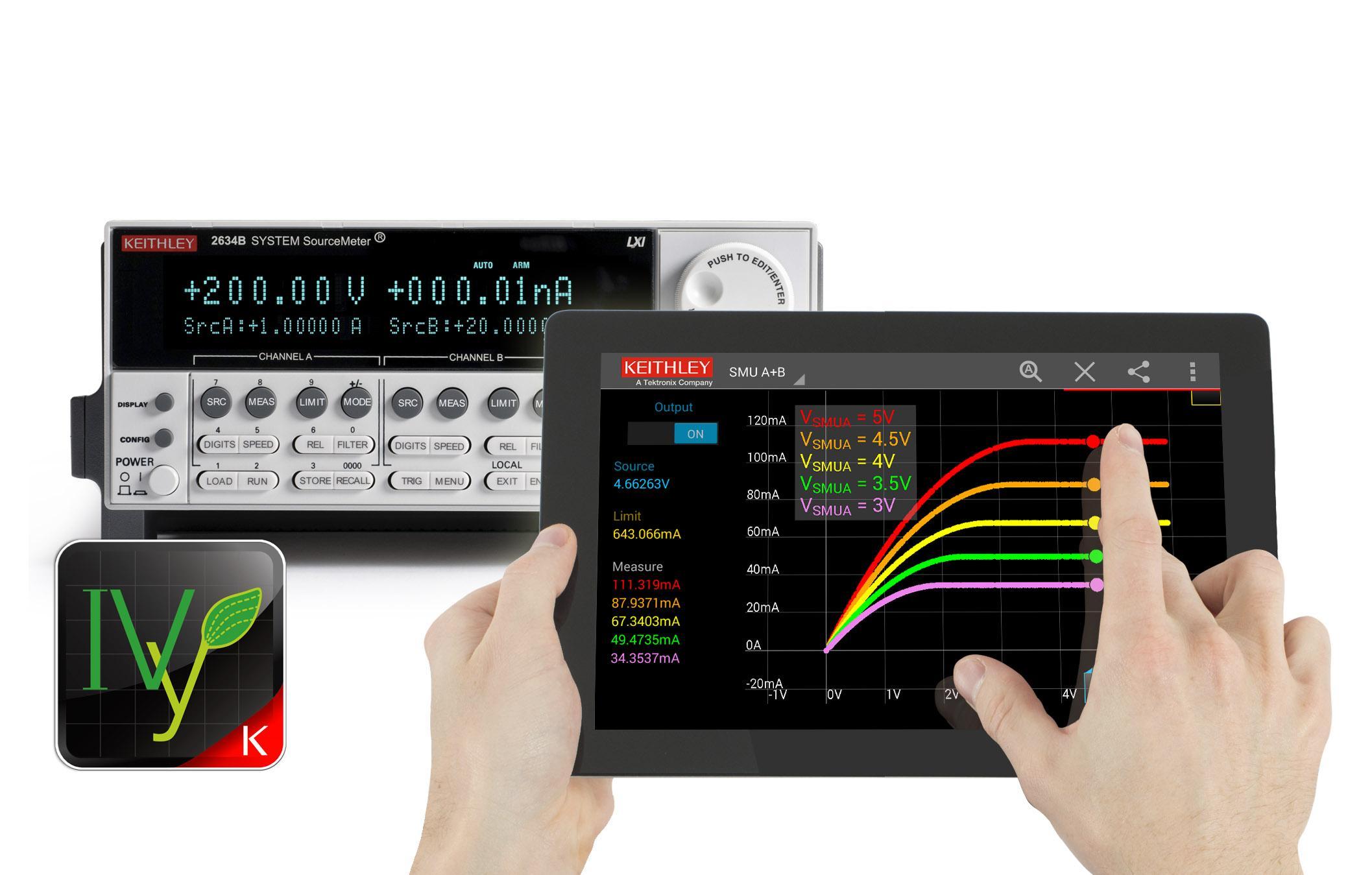
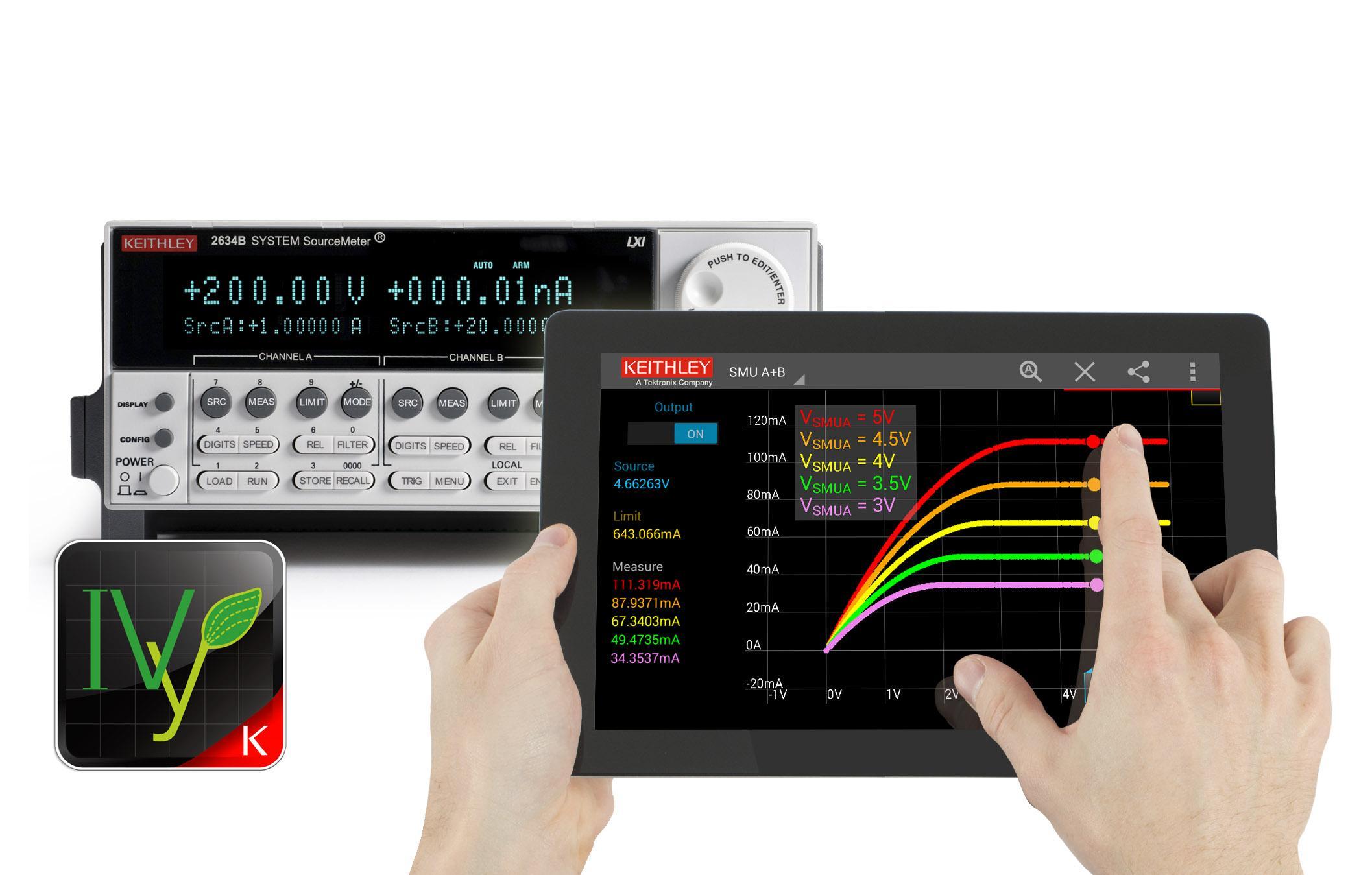
Keithley IVy is the fastest and easiest way to perform current-voltage (I-V) characterization, troubleshoot your device under test (DUT), and share the measurement results with others. It allows you to visualize, interact with, and share measurement results without programming.
IVy is currently compatible with Keithley Series 2600B SourceMeter® Source Measure Unit (SMU) Instruments running firmware version 3.1.0 or above.
See how IVy can help you save time and increase your productivity. Download the free app today! Don’t have an instrument yet? IVy has a simulation mode so that you can try out the app!
VISUALIZE DEVICE BEHAVIOR
• Change your source value and instantly see your device’s response.
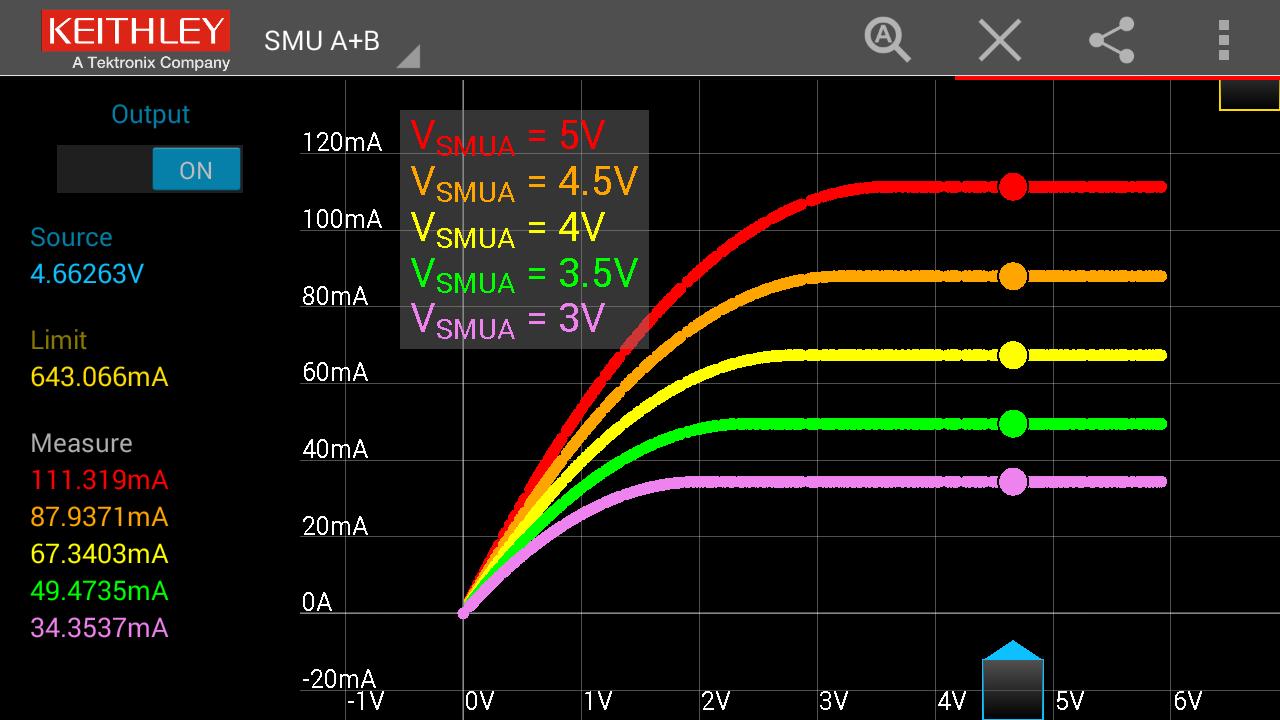
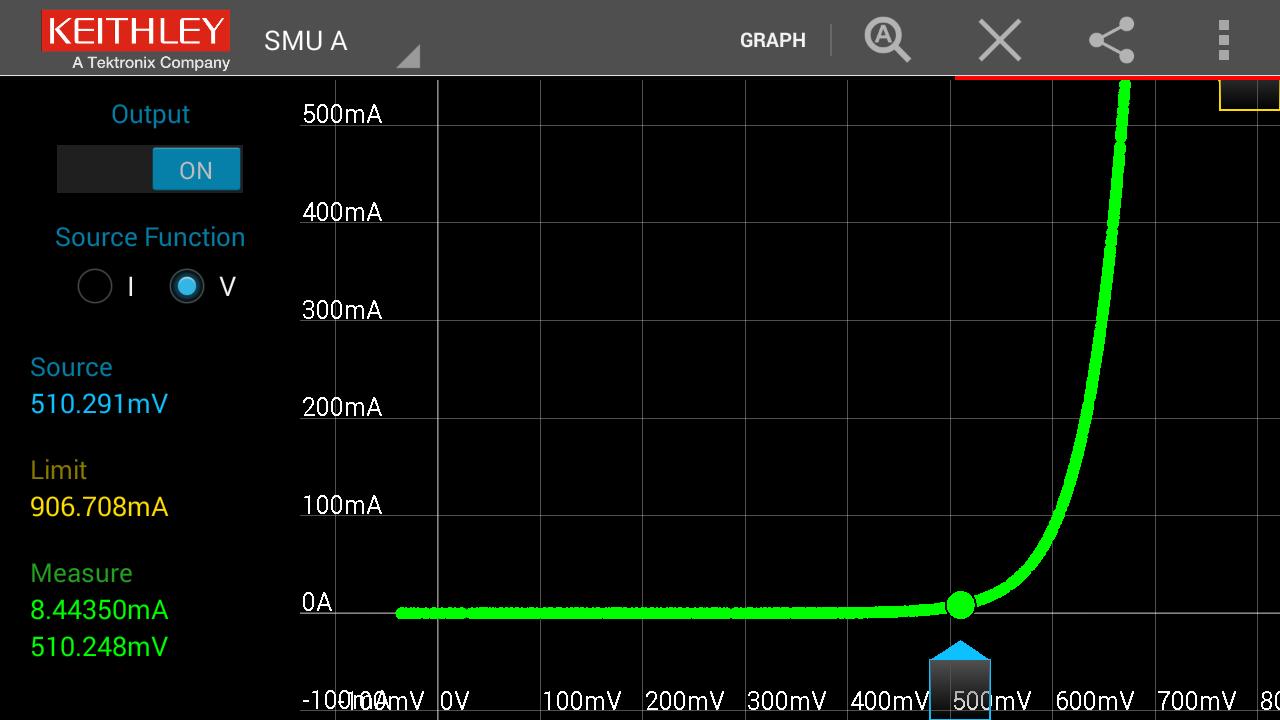
• Visualize your device’s behavior in time mode, characterize it in two-terminal I-V mode, or generate a family of curves in curve tracer mode.
• Toggle between two-terminal I-V mode and time mode to understand measurement results from different perspectives.
INTERACT WITH TEST PARAMETERS FOR BETTER UNDERSTANDING
• Perform immediate I-V characterization with fingertip control.
• Pinch and zoom to gain deeper insight into your device’s performance.
• See actual source and measure values at any point along the entire I-V curve.
SHARE DATA INSTANTLY TO ENABLE COLLABORATION
Share both data plots and your data in .CSV format instantly via e-mail, text message, Dropbox, Google Drive, or other apps to ensure easy and quick collaboration
HOW TO USE KEITHLEY IVy
1. Download and install Keithley IVy. Simulation mode lets you learn and experience IVy capabilities even if you don’t have a Series 2600B SMU instrument yet.
2. Connect your mobile device to the Series 2600B instrument:
i) Using a USB cable
Use a standard micro USB cable to connect your mobile device to the front-panel USB of any Series 2600B SMU instrument. (Make sure your instrument is running firmware version 3.1.0 or above.)
ii) Using a wireless router
a. Connect the Series 2600B instrument to a wireless router.
b. Connect your mobile device to the same WiFi network as the Series 2600B instrument.
c. Open the IVy app and connect to the Series 2600B instrument. IVy auto-discovers the connected Series 2600B SMU instrument. Don’t worry, if it doesn’t find your instrument you can still manually enter an IP address. Use the front panel MENU button on the Series 2600B instrument to view its assigned IP address.
3. Start using IVy immediately to characterize your devices!
-----
We want to hear from you about your experience using Keithley IVy. Please rate the app and send any questions or improvement suggestions to us at [email protected].






 Download