



Designed to complete the setup and connections in 3 steps by scanning a QR Code.
==Supported KGUARD Security Surveillance Devices ==
KViewQR application is compatible with the following KGUARD Security Surveillance systems:
Aurora Series (Any model number that starts with AR)
EasyLink Series (EL421, EL821, EL1621)
EasyLink Pro Series (EL422, EL822, EL1622)
Mars Series (Any model number that starts with MR)
Mars Home Series (Any model number that starts with MH)
QRT Series (Any model number that starts with QRT)
== About KViewQR ==
KViewQR allows you to view KGUARD Security surveillance systems and cameras from anywhere in the world using your Smartphones or Tablets utilizing 3G/4G or Wi-Fi networks.
[KViewQR features]
KViewQR offers the following features:
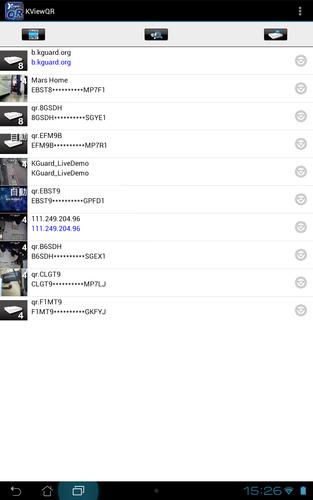
Scan QR Code and connect to KGUARD security surveillance devices for live view.
Search for devices existing on LAN.
Live view over internet on mobile.
View multiple channels in split windows (1/4 channels).
Play back recorded videos from DVR via 3G/4G or WIFI networks.
Control PTZ (Pan, Tilt, Zoom) cameras, including network cameras.
View cameras in both portrait or landscape mode.
WARNING: This application uses data stream that will connect to your DVR surveillance system. When using the 3G/4G network, the live video feed from your DVR will be considered "downloads" from your phone service provider and it will contribute to any download limit your phone data plan may have. If you exceed your data plan limit, this may result in additional usage charges. It is recommended to contact your phone service provider to know the limits of your data plan before using this video streaming application.
2. Supports new Devices - HD 481 / 881 / 1681
3. P2P Kernel Updates
4. no IP connection (P2P still available) for AR 421 / 821 / 1621
5. bug fixes
5.1 Playback state frequently displayed "stopped"
5.2 push registration exception
5.3 Five seconds timeout if push server no response
6. Quality select is available at single channel display (EL 421 / 821 / 1621 using an older version firmware, quality option is invalid.)

![[FREE]AppRunTimeChecker](https://images.downzs.com/uploads/20260906/logo_6a9d577d937051.jpg)


 Download