

solve the problem "Android is upgrading, Optimizing application 10 of 43"
The problem
If you flashed your phone , and enquired the problem "Android is upgrading, Optimizing application 10 of 43" every time you boot your phone , then , you need this application.
In short, there are 1/2/3 redundant files on your phone:
1./system/framework/com.google.widevine.software.drm.jar
2./system/framework/com.google.widevine.software.drm.odex
3./system/etc/permissions/com.google.widevine.software.drm.xml
Well, they are not totally useless. They should be useful in some cases. But, they are the cause of your problem “Android is upgrading”.
And, the solution is quite simple, just delete those three files. If you liked to do it your self, then, just delete those 3 files. If you didn't want to do it yourself, then, you can install this application, and solve your problem with on button click.
Attentions
This application is not for everyone
Please make sure you are facing the problem before using this application. If you were not facing the problem, then, please don't use this application. Not all the phones with those three files have the “Android is upgrading” problem.
Some phones have the problem, others don't have the problem:
1.Samsung GT-I9308I, has this problem.
2.OPPO Find5 X909, doesn't have this problem.
3.Lenovo X2-CU, doesn't have this problem.
4.Lenovo Mobile K900 (K900_ROW), has this problem.
5.Lenovo Mobile Lenovo A319 (A319), has this problem.
6.Lenovo Mobile Lenovo A3500 (A3500HV), has this problem.
7.Lenovo Mobile Lenovo A3500-H (A3500H), has this problem.
8.Lenovo Mobile Lenovo A399 (Aiken), has this problem.
9.Lenovo Mobile Lenovo A60 (Android), has this problem.
10.Lenovo Mobile Lenovo A60+ (Android), has this problem.
11.Lenovo Mobile Lenovo A6000 (Kraft-A6000), has this problem.
12.Lenovo Mobile Lenovo A850 (A850), has this problem.
13.Lenovo Mobile Lenovo P70 (P70-A), has this problem.
14.Lenovo Mobile Lenovo S60 (sisleylr), has this problem.
15.Lenovo Mobile Lenovo S650 (S650), has this problem.
16.Lenovo Mobile Lenovo S650_ROW (S650_ROW), has this problem.
17.Lenovo Mobile Lenovo S850 (S850), has this problem.
18.Lenovo Mobile Lenovo S920_ROW (S920_ROW), has this problem.
19.Lenovo Mobile Lenovo X2 (X2-EU), has this problem.
20.Lenovo Mobile Lenovo X2-CU/VIBE X2 (X2-CU), has this problem.
21.Lenovo Mobile Lenvo S960 (S960_ROW), has this problem.
22.Lenovo Mobile S820 (S820_ROW), has this problem.
23.Lenovo Mobile S960 (S960), has this problem.
24.109v82_gq3016_zuum, has this problem.
25.111wv82_zlh_qhd, has this problem.
This application detects the problem depending the existance of those three files. So, you should not use this application if you didn't see the phenomenon introduced above, even if this application told you that “You are facing the problem”. Please remember this.
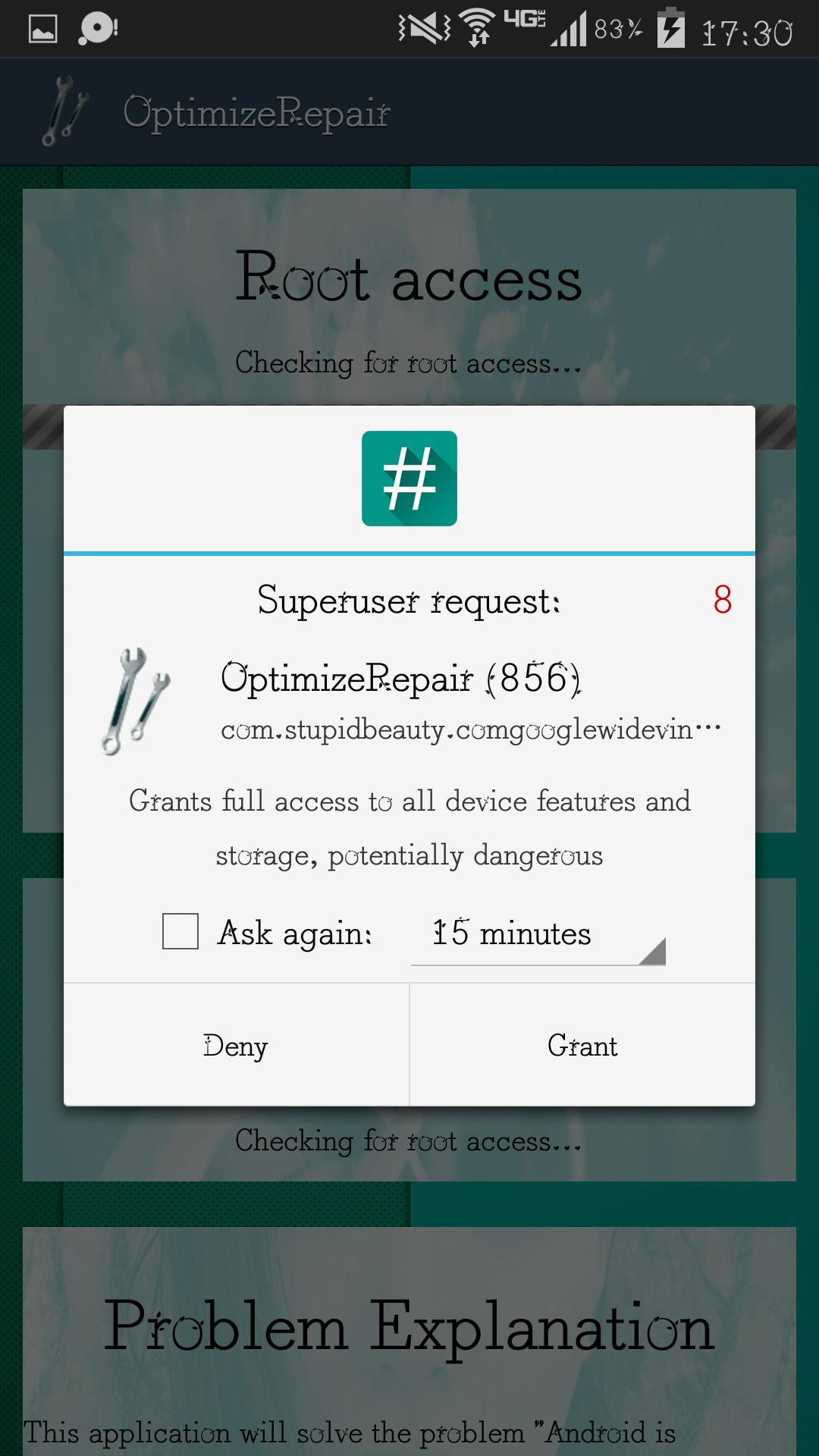
Please allow this application to get the ROOT access
This application could not fulfill it's mission without ROOT access.
DO IT!
Let's talk about how to use it.
Usage
Launch OptimizeRepair.
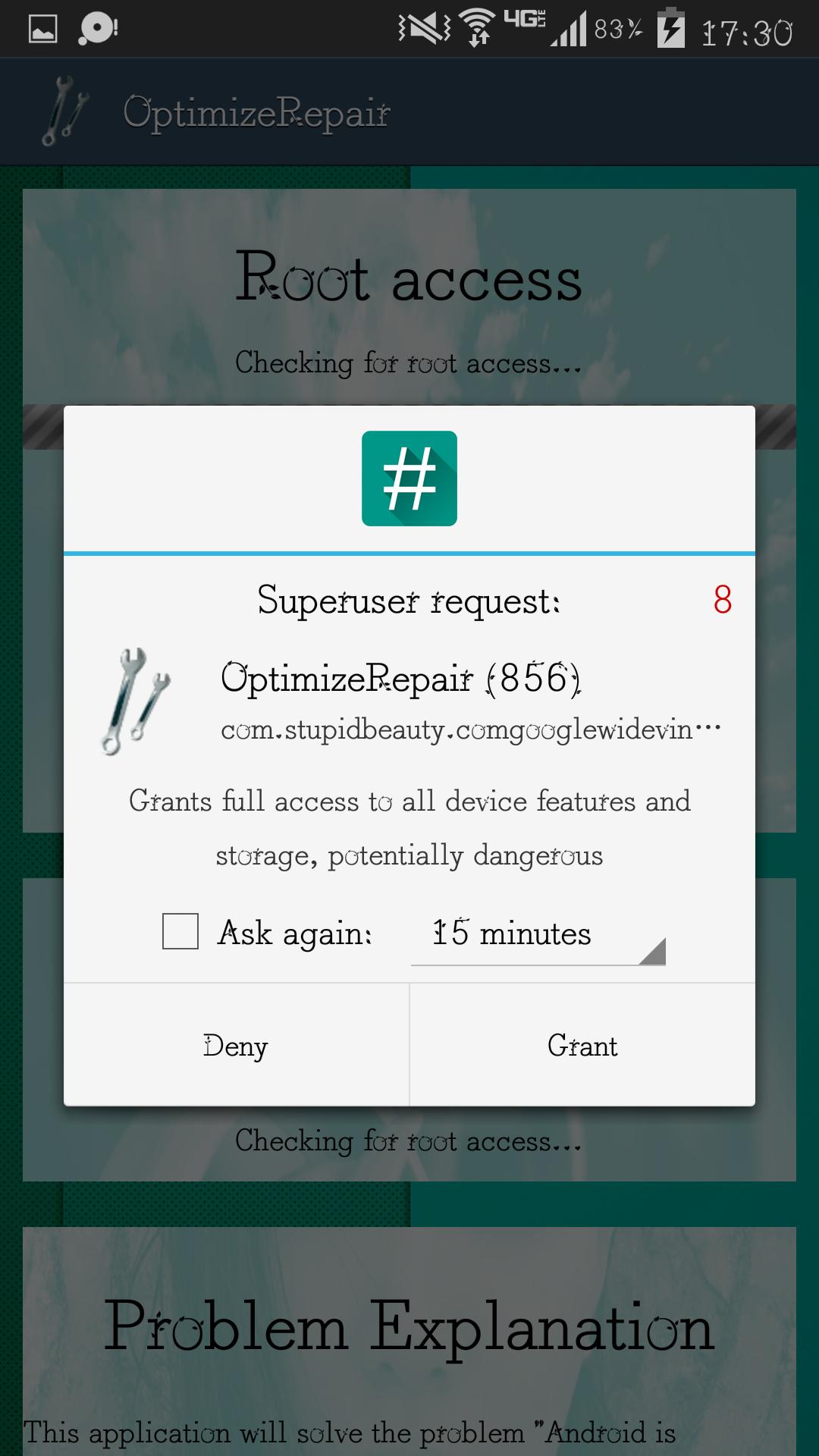
It will request for the ROOT access immediately, please allow it. It could not do the repair without ROOT access.
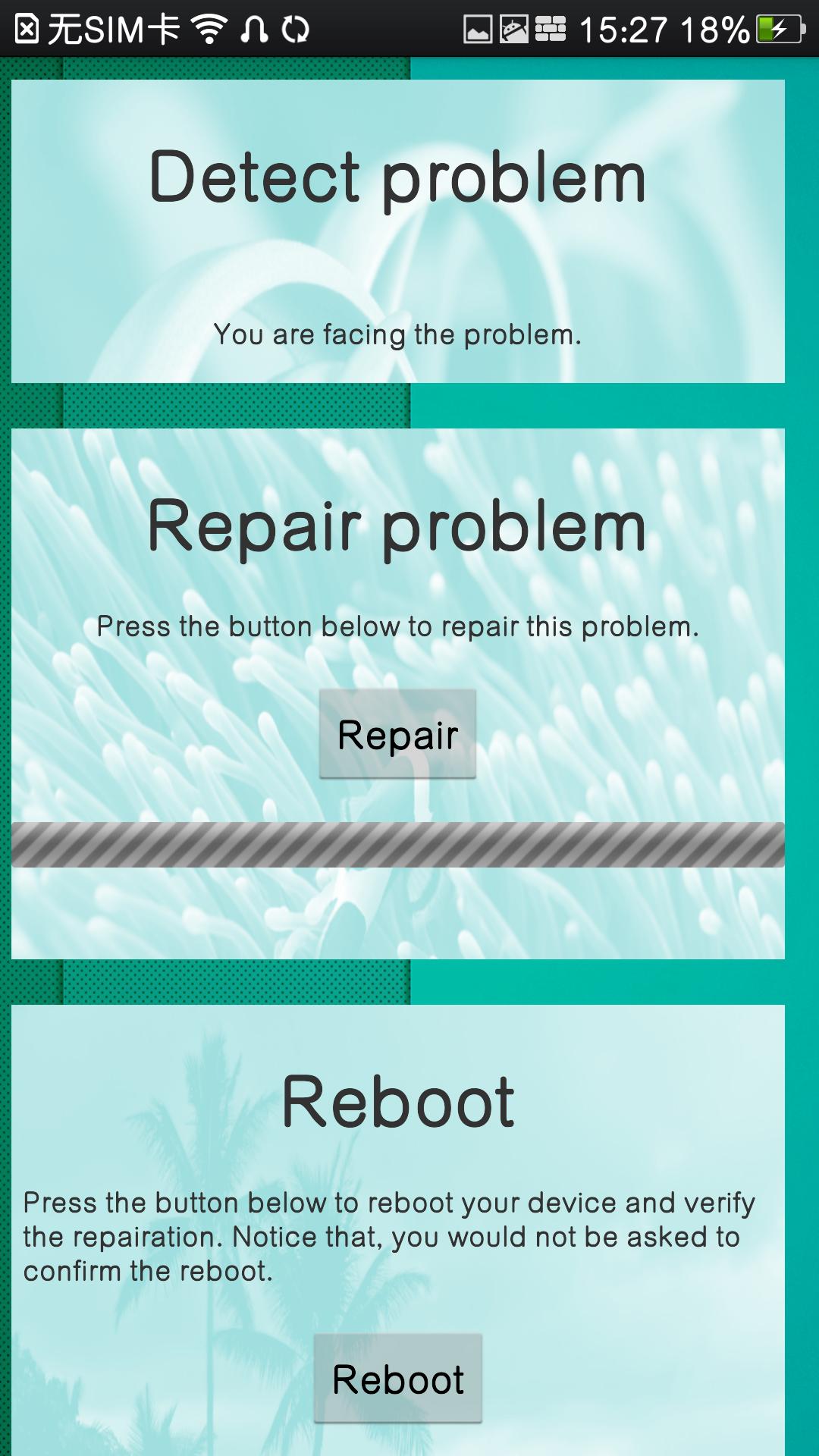
After obtaining ROOT acess, it will check for the files mentioned above. If so, it would tell you that “You are facing the problem”, and the Repair button will become click-able.
Attention again, don't use this application unless you encountered the problem “Android is upgrading” when booting your phone.
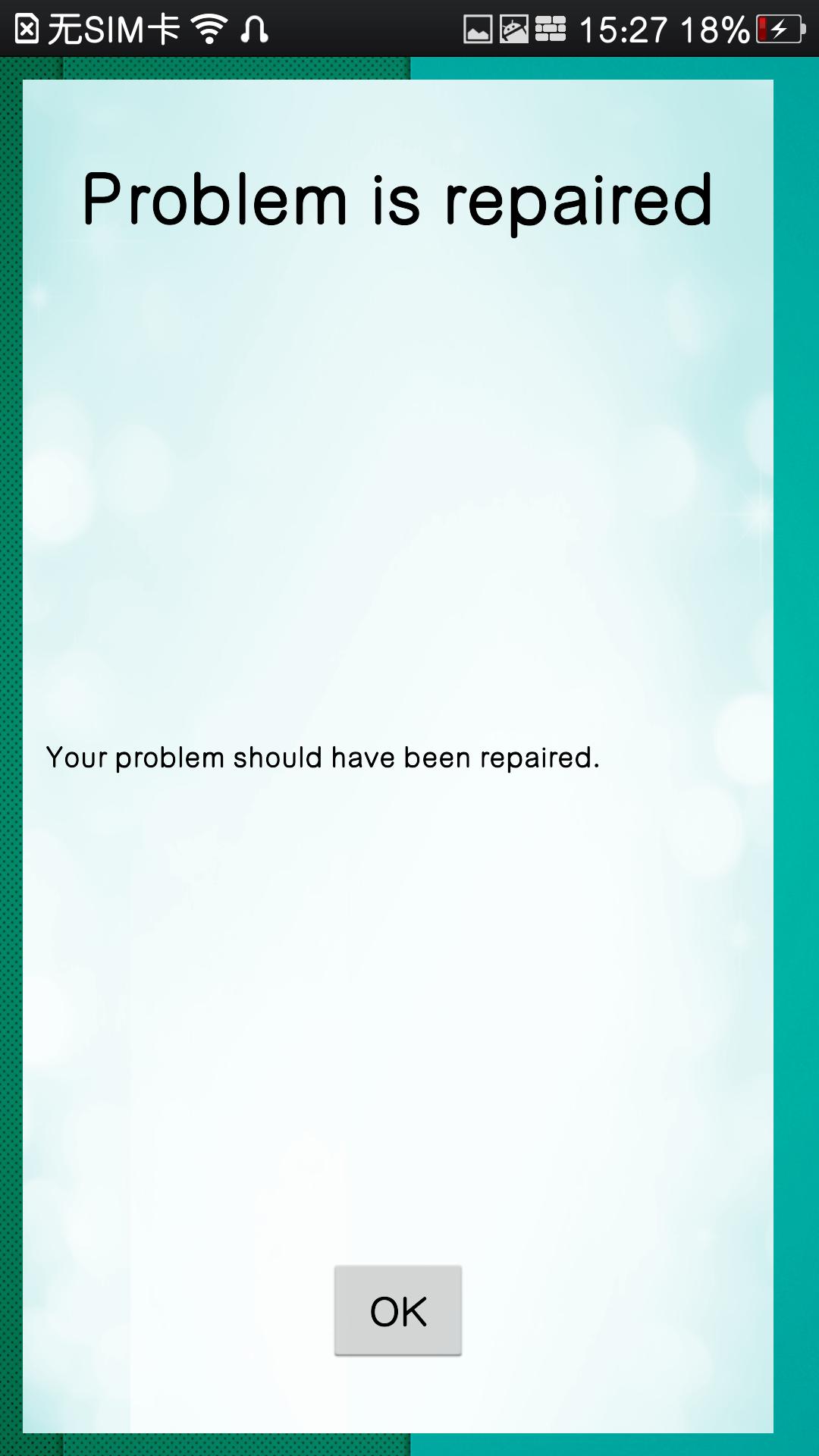
OK, let's assume that you were really facing the problem. Please push the Repair button and wait. It will pop a dialog saying that the problem has been repaired.
Click the “OK” button to dismiss the dialog. It will check again, and, there should be no problem this time.
Quite simple, right?








 Download