

Print from Mobile. Scan to Mobile. Instantly, Wirelessly
PageScope Mobile for Android is an application that allows you to easily connect to KONICA MINOLTA printing devices from your Android device using Wi-Fi. It enables you to print documents and images as well as import scanned data.
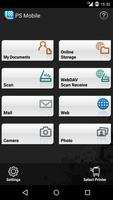
[Introduction of Main Functions of Application]
Print Function:
The data in "My Documents" can be printed using Konica Minolta multifunction printers (hereafter printers) that support this application.
Documents scanned from printers or files attached to Emails can be saved in "My Documents".
Supports Authentication and Secure Print to provide you with a more Secure printing environment.
It is possible to print Email messages and attachments received by the Email address programmed in this application.
Attached files can be saved into "My Documents".
Web pages can be viewed and/or printed from this application.
Pictures taken using the camera function can be saved and printed.
WebDAV Scan Receive Function:
Data that has been scanned from multifunction printers can be saved into "My Documents".
Scan Function:
Data that has been scanned from multifunction printers can be saved into "My Documents" with PageScope Mobile operation.
Intent Function:
By using the Intent function, data stored in the Android device can be printed via this application.
Online Storage function:
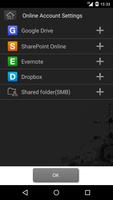
Documents that have been saved in Online Storage can be printed. Documents and scanned data can be uploaded to Online Storage.
(Supports Google Drive, SharePoint Online, Dropbox, Evernote, and Shared folder.)
My Print Manager Link:
The data stored in My Document and Online Storage as well as Mail and Web pages that have been managed by the PageScope My Print Manager Port app for Android can be spooled to the PageScope My Print Manager server that is designated by the user via the application and then can be printed using a printer that has registered in the PageScope Mobile app.
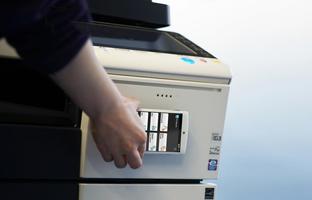
NFC Functions:
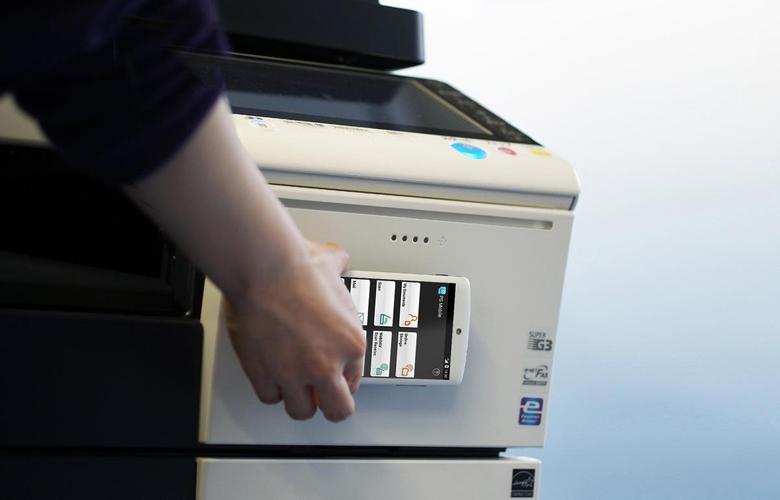
The following functions can be executed using NFC.
-Touch and print
-Touch and scan
-Touch and authenticate
-Touch and register MFP
Please refer to Help for details on the features available.
[Operating Environment]
The following environments are supported.
OS:
Android 4.0 / 4.1 / 4.2 / 4.3 / 4.4 / 5.0 / 5.1 / 6.0 / 7.0 / 7.1 / 8.0 / 8.1 / 9.0
Tested devices:
Samsung GALAXY Nexus(OS 4.0.1)
Motorola XOOM Wi-Fi(OS 4.0.4)
Motorola XOOM Wi-Fi(OS 4.1)
ASUS Nexus7(OS4.2)
ASUS Nexus7(OS4.3)
LG Nexus5(OS4.4)
HTC Nexus9(OS5.0)
Motorola Nexus6(OS5.1)
Huawei Nexus6P(OS 6.0/8.1)
GooglePixel 3(OS9.0)
The device must be a mobile computing device such as smartphone or tablet with Wi-Fi connectivity enabled.
The device must have undergone the Google CTS test.(Devices with independently customized operating systems such as e-book readers are not supported.)
Please refer to the following page for additional operating requirements.
URL:
https://www.biz.konicaminolta.com/solutions/psmobile/spec_android.html
[Supported printing devices]
Please refer to the following page for supported printing devices.
URL:
https://www.biz.konicaminolta.com/solutions/psmobile/spec_android.html

 Download