• Home
  • Game
    Action Simulation RPG Sports Casual Cards Music Puzzle Shooting Romance
  • Apps
    Business Social Lifestyle Shopping Tools Travel Finance Education News Health
  • Articles

English 中文(简体) 中文(繁体) 한국어 日本語 Português Español Русский العربية Indonesia Deutsch Français ภาษาไทย
Home Apps Tools Quick Telugu Keyboard
Quick Telugu Keyboard

Quick Telugu Keyboard

1
2
3
4
5
Download
  • Version 5.2
  • Category Tools
  • Package Name com.srctechnosoft.eazytype.telugu.free
  • Update Time April 22, 2026
  • Size 59.35MB
About this app

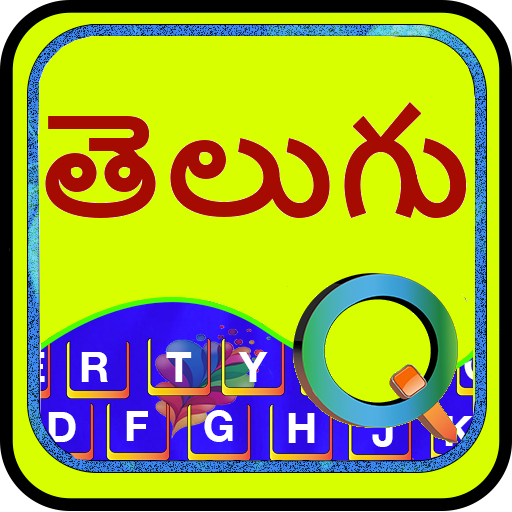
Quick Telugu Keyboard with English and Emoji for fast typing. easy type

మొబైల్ తెలుగులో రాయడం చాలా సులభం .

Quick Keyboard provides the option to type Emoji icons in you message like Whatsapp,

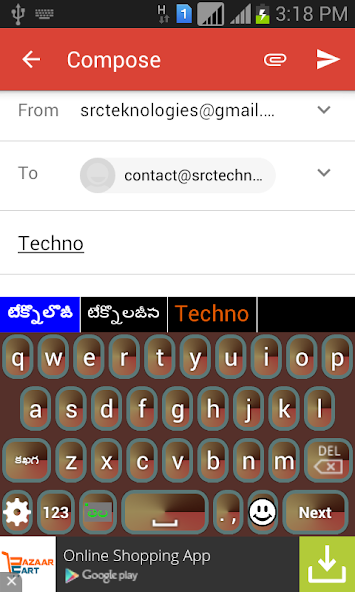
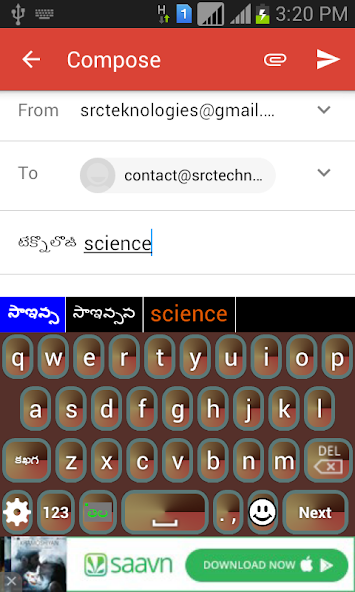
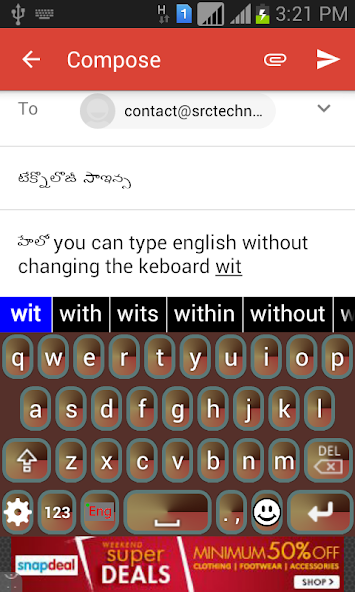
This is a Soft Keyboard to type Telugu on your Phone. You can type easily on any app like Gmail, Facebook, Whatsapp. you can write blogs in Telugu in web browser. This keyboard works as default keyboard in android phones/tablets. No need to learn specific Telugu keyboard. Just type in English and press space you English word will be converted into Telugu script automatically. This keyboard provides word suggestions to type in a fast way. This Keyboard provides English typing option to type in English. if you want to type in English just press toggle button to switch English to Telugu or Telugu to English.

If your are able to read "హలో" (Telugu text) in your mobile phone, If you can read Telugu text on your phone, you may install this application.

Quick Keyboard provides easy way to type in Indian language.

Please see video to know how it works.

Installation.

1. Download and install this application on phone.

2. Open EzyType's Home screen. there are two button on screen (i) Enable Keyboard (ii) Choose default

3. Press 'Enable Keyboard" button and select Quick Keyboard to enable this keyboard

4. Press "Choose default" button and choose Quick Keyboard as default keyboard.

OR

2. Go to "Setting"->"Language and Input" and tick in check box on Quick Telugu

3. Go to any text filed in which you want to type.

4. Drag Notification bar (On the top of Screen of Phone). Tap on "Select input method"

Now Select "Quick Telugu" (On a popup)

OR

Long press on text field and choose "Input Method".

Now Select Quick Telugu (On a popup)

What's New in the Latest Version 5.2

Last updated on Apr 9, 2025 Panini Keypad Supported.
It is an application that offers single key press input in Indian language on mobile. The technology is based on CleverTexting; patented predictive texting software which creates an ergonomic dynamic virtual keypad using statistical predictions based on corpora linguistics.
Download(59.35MB)
Users also viewed
  • Map and Compass

    Map and Compass

    3.5.3 April 22, 2026
  • Cartoon Camera HD(Real-time)

    Cartoon Camera HD(Real-time)

    1.4 April 22, 2026
  • Panda Chub Keyboard Theme

    Panda Chub Keyboard Theme

    1.4 April 22, 2026
  • KawaiiCam*, Cute PhotoEditor

    KawaiiCam*, Cute PhotoEditor

    6.5 April 22, 2026
  • Easy Unit Conversion

    Easy Unit Conversion

    1.0 April 22, 2026
  • Collect Call (T2T Widget)

    Collect Call (T2T Widget)

    1.9 April 21, 2026
  • Picture Calendar 2018

    Picture Calendar 2018

    3.1.6 April 21, 2026
  • Pocket MP3 Player Deluxe

    Pocket MP3 Player Deluxe

    2.9 April 21, 2026
  • WeathAR

    WeathAR

    4.6 April 21, 2026
  • Sprint Complete

    Sprint Complete

    5.170.0 April 21, 2026
  • Bloco de Notas Premium

    Bloco de Notas Premium

    1.0.0.41 April 20, 2026
  • Door and Window Design

    Door and Window Design

    1.11 April 20, 2026
  • < 1 GB RAM Cleaner

    < 1 GB RAM Cleaner

    1.6 April 20, 2026
  • BK SoftHome

    BK SoftHome

    1.0 April 19, 2026
  • Wallpaper Cars Nitro

    Wallpaper Cars Nitro

    4.0 April 19, 2026
About Privacy Policy Terms of Service Cooking Policy

© Copyright 2017-2026 downzs.com