• Home
  • Game
    Action Simulation RPG Sports Casual Cards Music Puzzle Shooting Romance
  • Apps
    Business Social Lifestyle Shopping Tools Travel Finance Education News Health
  • Articles

English 中文(简体) 中文(繁体) 한국어 日本語 Português Español Русский العربية Indonesia Deutsch Français ภาษาไทย
Home Apps Business RICOH Smart Device Connector
RICOH Smart Device Connector

RICOH Smart Device Connector

1
2
3
4
5
Download
  • Version 3.16.9
  • Category Business
  • Package Name com.ricoh.smartdeviceconnector
  • Update Time April 8, 2026
  • Size 60.26MB
About this app

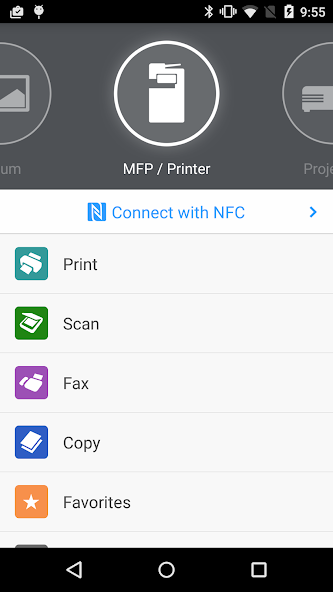
Control Ricoh MFP and projector functions from an Android–based smart device.

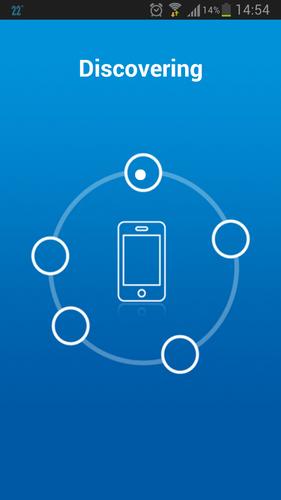
RICOH Smart Device Connector lets you quickly access a RICOH multifunction printer (MFP) or projector by registering it with a smart device via NFC, Bluetooth Low Energy, a QR code, or the IP address or hostname of an MFP.

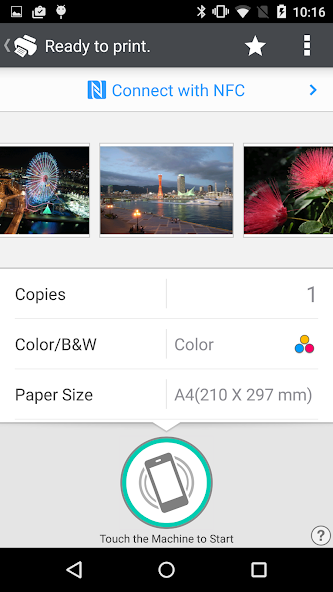
Print-related features:

- Print or project documents and images stored on a smart device or on Box, Dropbox, Google Drive, Microsoft OneDrive.

- Print emails, file attachments, and webpages.

- Print from print server.

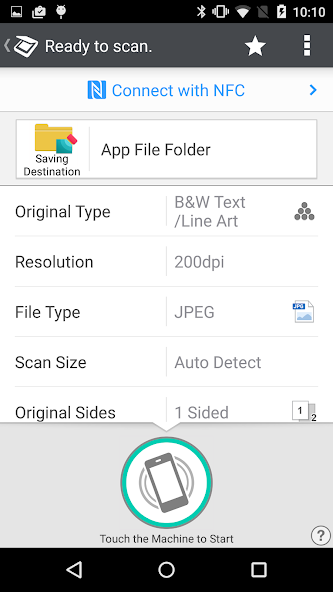
Scan-related features:

- Scan to a smart device or to Box, Dropbox, Google Drive, or Microsoft OneDrive.

Projection-related features:

- Project documents and images on a smart device or in Box, Dropbox, Google Drive, or Microsoft OneDrive to a RICOH projector and the RICOH Interactive Whiteboard.*

- Project emails, file attachments, and webpages.

- Save documents that have been annotated on the RICOH Interactive Whiteboard.

Other features:

- Conduct user authentication by using a smart device.

- Automatically search for available machines on the same network.**

Supported languages:

Arabic, Brazilian Portuguese, Catalan, Chinese (Traditional and Simplified), Czech, Denmark, Dutch, English, Finnish, French, German, Greek, Hebrew, Hungarian, Italian, Japanese, Korean, Norwegian, Polish, Portuguese, Russian, Spanish, Swedish, Thai, Turkish, Vietnamese

Supported models:

https://www.ricoh.com/software/connector/

*RICOH Interactive White Board D6500/D5510 requires firmware v1.7 or later.

**Except for the RICOH Interactive Whiteboard.
What's New in the Latest Version 3.16.9

Last updated on Dec 20, 2024 The issue that occurred with OneDrive has been fixed.
Download(60.26MB)
Users also viewed
  • TimeScape Live

    TimeScape Live

    4.18.12 July 15, 2026
  • PasswordGenPro Free

    PasswordGenPro Free

    2.0 July 15, 2026
  • Mimmie Calculator

    Mimmie Calculator

    1.6 July 14, 2026
  • MobileSupport

    MobileSupport

    6.0.23.9 (Build 345) July 14, 2026
  • Asesorias Ulima

    Asesorias Ulima

    7.0 July 13, 2026
  • File Explorer and File Manager

    File Explorer and File Manager

    1.0.7 July 13, 2026
  • CCcam for 48 hours Renewed

    CCcam for 48 hours Renewed

    1.0.6 July 13, 2026
  • Deep Learning in openCV for vi

    Deep Learning in openCV for vi

    11 July 10, 2026
  • AndroidHIT Apps

    AndroidHIT Apps

    1.2 July 10, 2026
  • Extra Utilities Mod for Minecraft

    Extra Utilities Mod for Minecraft

    2 July 10, 2026
  • Ottnec

    Ottnec

    0.9.2 July 10, 2026
  • Tamarillo

    Tamarillo

    1.1 July 7, 2026
  • Mock calculator

    Mock calculator

    3.0.1 July 6, 2026
  • Infomaniak Check

    Infomaniak Check

    1.7.0 July 6, 2026
  • Gallery Lock & Chat Lock

    Gallery Lock & Chat Lock

    1.1 July 4, 2026
About Privacy Policy Terms of Service Cooking Policy

© Copyright 2017-2026 downzs.com