• Home
  • Game
    Action Simulation RPG Sports Casual Cards Music Puzzle Shooting Romance
  • Apps
    Business Social Lifestyle Shopping Tools Travel Finance Education News Health
  • Articles

English 中文(简体) 中文(繁体) 한국어 日本語 Português Español Русский العربية Indonesia Deutsch Français ภาษาไทย
Home Apps Tools [root] Ntfs Mounter
[root] Ntfs Mounter

[root] Ntfs Mounter

1
2
3
4
5
Download
  • Version 0.5
  • Category Tools
  • Package Name com.kwull.ntfsmounter
  • Update Time January 13, 2025
  • Size 1.78MB
About this app

Enjoy millions of the latest Android apps, games, music, movies, TV, books, magazines & more. Anytime, anywhere, across your devices.

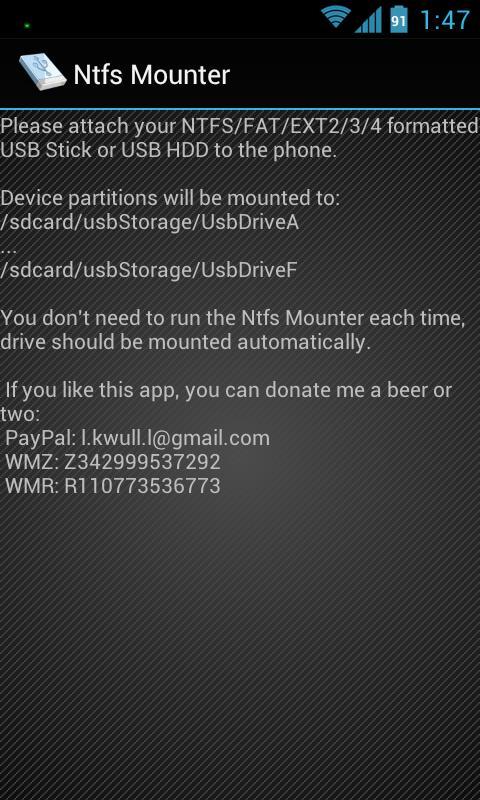
Automatically mount and dismount NTFS/FAT/EXT2/EXT3/EXT4 formated USB Sticks, USB HDD, SD Cards

!!! REQUIRES ROOT !!!

!!! Tested on Samsung Galaxy SII ICS 4.0.3 (CF, Siyah, N.E.A.K kernels) !!!

Works on following ICS devices:

- Samsung Galaxy S2

- Samsung Galaxy Note

- Samsung Galaxy Tab 2

Once Ntfs Mounter is installed and you connect a NTFS/EXT formated USB stick with the USB host / OTG cable, the application will mount your drive.

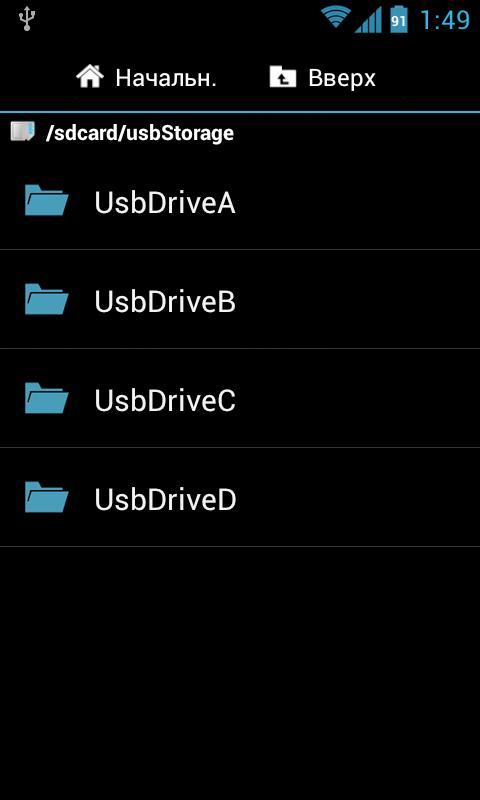
Device partitions will be mounted to: /sdcard/usbStorage/UsbDriveA...UsbDriveF

SD Card will be mounted to: /mnt/sdcard/external_sd

You don't need to run the Ntfs Mounter each time, drive should be mounted automatically.

** What's new in 0.5 ver **

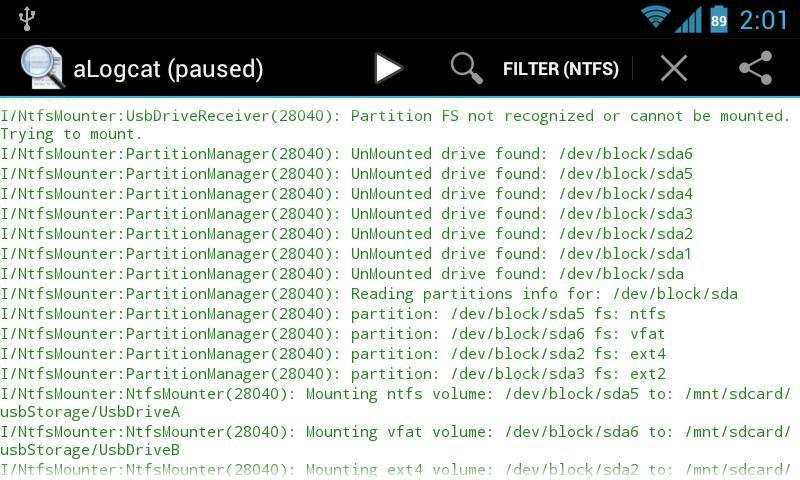
- file systems support: NTFS, EXT2, EXT3, EXT4

- SD card support. The card is visible in all applications including standard android apps (camera, file manager,...).

- user applications can be installed into the NTFS, EXT2, EXT3 or EXT4 formatted card

- multi partitions support on USB drives

- full system integration - no more messages that card or USB drive is not formatted or blank

- standard android notifications are used instead of old Ntfs Mounter notifications

- USB drives are mounted into: /mnt/sdcard/usbStorage/UsbDriveA,.../mnt/sdcard/usbStorage/UsbDriveF

- some bugs are fixed

XDA Developers thread: http://forum.xda-developers.com/showthread.php?p=26095535

** Disclaimer **

I am not responsible for any damage caused to your device or data or feeling.

It is recommended to backup your precious data.
What's New in the Latest Version 0.5

Last updated on Aug 19, 2015 - file systems support: NTFS, EXT2, EXT3, EXT4
- SD card support. The card is visible in all applications including standard android apps (camera, file manager,...).
- user applications can be installed into the NTFS, EXT2, EXT3 or EXT4 formatted card
- multi partitions support on USB drives
- full system integration
- standard android notifications are used instead of old Ntfs Mounter notifications
- USB drives are mounted into: /mnt/sdcard/usbStorage/UsbDriveA
Download(1.78MB)
Users also viewed
  • Net speed Meter : Internet  Bandwidth Speed Test

    Net speed Meter : Internet Bandwidth Speed Test

    5.0.0 December 2, 2025
  • Launcher Theme Pink Heart

    Launcher Theme Pink Heart

    3.8 December 2, 2025
  • Home Stair Design

    Home Stair Design

    1.0 December 2, 2025
  • Canon Easy-PhotoPrint

    Canon Easy-PhotoPrint

    2.5.0 December 2, 2025
  • White Blue Theme GO SMS

    White Blue Theme GO SMS

    2.6 December 1, 2025
  • The Yield

    The Yield

    2.9.1 December 1, 2025
  • Landscape Inc

    Landscape Inc

    1.0.3 December 1, 2025
  • Luxury Picture Frames Editor

    Luxury Picture Frames Editor

    1.12 December 1, 2025
  • Dinosaur Hunting Games 2021

    Dinosaur Hunting Games 2021

    1.0.10 December 1, 2025
  • CAMIP

    CAMIP

    1.8 November 30, 2025
  • Galaxy Theme GO Weather EX

    Galaxy Theme GO Weather EX

    1.4 November 30, 2025
  • Koi fish pond II

    Koi fish pond II

    1.7 November 30, 2025
  • Wifi Radar

    Wifi Radar

    5.07 November 29, 2025
  • Retro Icon Pack

    Retro Icon Pack

    1.0.1 November 29, 2025
  • MIUI v4 kakaotalk theme

    MIUI v4 kakaotalk theme

    1.0.1 November 28, 2025
About Privacy Policy Terms of Service Cooking Policy

© Copyright 2017-2025 downzs.com