

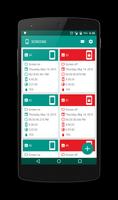
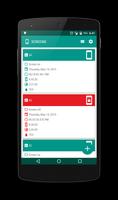
Understand what is happening on your device when you turn the screen on or off.
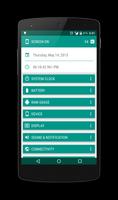
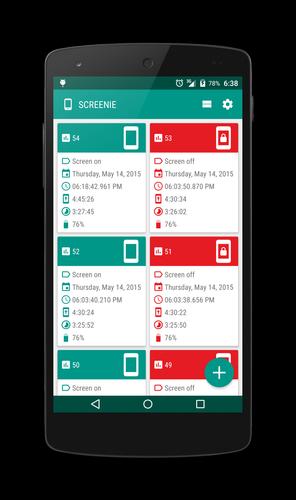
Screenie is an app that helps you to understand what is happening on your device when you turn the screen on or off. Amongst other things, Screenie will help you check your device details for each separate event, including (without being limited to):
System clock: uptime, elapsed real time.
Battery: level, temperature, voltage, charging state, charging mode, status, health.
Ram usage: total available memory, used memory, available memory, low memory check, threshold, running processes, running services.
Connectivity: airplane mode, NFC, Wi-Fi, Bluetooth, mobile, mobile network type, data roaming.
Wi-Fi: Wi-Fi state, Wi-Fi scan always available, Wi-Fi state, keep Wi-Fi on during sleep.
Bluetooth: Bluetooth state, Bluetooth discovering.
Location: location state, GPS provider, Network provider.
19 available material design themes, both light and dark version
Screenie lets you turn the screen off overriding the Google Now action. This feature makes use of the Android Device Administration API which provides device administration features at the system level. No root required.
With the pro version you can enable a number of automated tasks that include, but aren’t limited to:
Adb: do nothing, if enabled open system preference, if disabled open system preference
Stay on while plugged in: do nothing, if enabled open system preference, if disabled open system preference
Ringer mode, ringer mode normal, ringer mode vibrate, ringer mode silent
Wi-Fi: do nothing, enable, disable
Wi-Fi scan always available: do nothing, if enabled open system preference, if disabled open system preference
Keep Wi-Fi on during sleep: do nothing, if enabled open system preference, if disabled open system preference
Bluetooth: do nothing, enable, disable
Set system volumes for each separate volumes available
Location: do nothing, if GPS provider enabled open system preference, if network provider enabled open system preference, if both enabled open system preference, if none enabled open system preference
Airplane mode: do nothing, if enabled open system preference, if disabled open system preference
Data roaming: do nothing, if enabled open system preference, if disabled open system preference
Permissions explained:
- INTERNET: use to check and validate in-app purchase
- RECEIVE_BOOT_COMPLETED: start service after system finishes booting.
- ACCESS_NETWORK_STATE: read network state .
- ACCESS_WIFI_STATE: read Wi-Fi state.
- CHANGE_WIFI_STATE: enable or disable Wi-Fi within screen on/off automated tasks, if enabled.
- BLUETOOTH: read Bluetooth state.
- BLUETOOTH_ADMIN: enable or disable Bluetooth within screen on/off automated tasks, if enabled.
- ACCESS_FINE_LOCATION: read location settings to retrieve details if any location provider is enabled (GPS or Network provider). Screenie does not read your location.
- WRITE_SETTINGS: change choosen system settings within screen on/off automated tasks, if enabled.
- BILLING: allow user to unlock pro version within the app.










 Download