


A lean and quick eBook reader for EPUB and plain text files!
Features:
* No ads
* No spyware
* Can fully customize text and background color
* Can choose to use custom TrueType fonts (no fonts included)
* Possible to browse SDCard for books (not supported on all devices)
* Slide finger along left edge of the screen to adjust screen brightness
* Slide finger along right edge of the screen to adjust font size
* Can set bookmarks
* Search for any word or phrase, either towards the beginning or towards the end of the book
* Search dialog remains visible until dismissed, to enable repeated searches
* Can choose to keep status bar and/or Android navigation bar visible during reading, or to hide them
* Setting for removing extra line breaks in text files (common in OCR output)
Solati Reader might be the fastest eBook reader on the market for files of the EPUB format. Text is displayed almost instantly, and orientation changes are done without delay.
The high speed with which Solati Reader displays EPUB books is achieved by omitting table of contents, images, hyperlinks and formatting from EPUB files. This is a text-only reader. Neither does Solati Reader have any DRM capability. Copy-protected EPUB files cannot be read by Solati Reader.
There are no ads in the app. No special permissions are needed, except for access to the external storage for EPUB files.
Solati Reader uses a system font and can therefore display all types of text that your device can display. For example Arabic or Chinese. You can also choose to use TrueType fonts of your own.
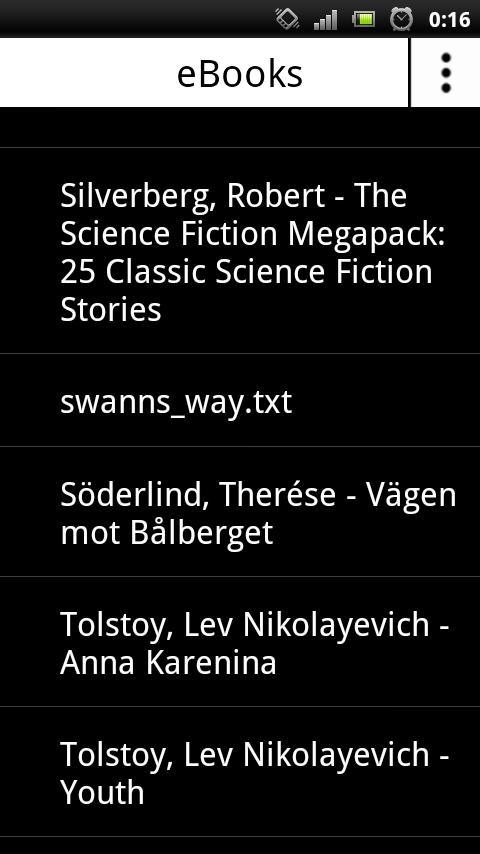
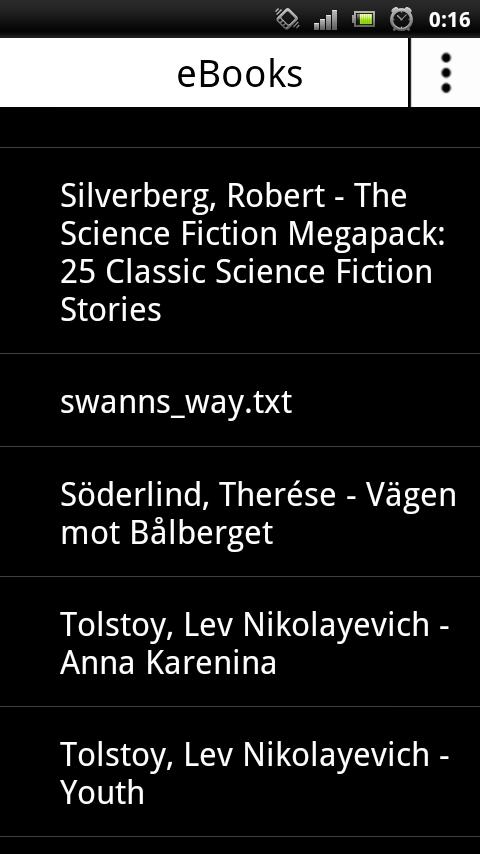
The main screen of Solati Reader shows a list of all books found in the folder "eBooks" on the external storage. Free EPUB books can be downloaded by clicking on the three dots in the upper right corner of the screen and selecting "Get books from Feedbooks". The action menu displayed when clicking on the three dots also contains the option to search the entire external storage for books.
By longpressing a book in the list, a dialog detailing the file size and path of that book is shown. The dialog also has a button for deleting the book.
Plain text files can also be displayed in Solati Reader.
Page navigation is done by swiping horizontally across the screen, or tapping at any edge of the screen.
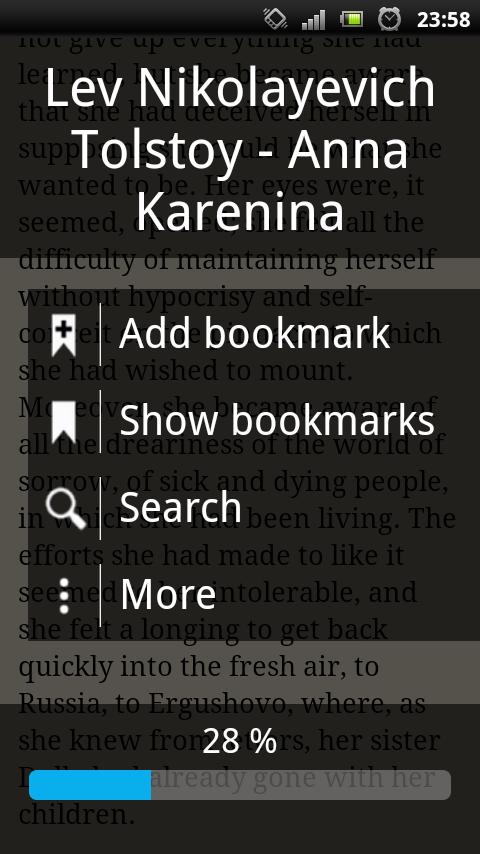
While reading a book, drag up or down along the left edge of the screen to increase or reduce brightness. Drag up or down along the right edge of the screen to increase or reduce the font size. Tap in the center of the screen to bring up the information screen, where you can jump to a position in the book using the seek bar at the bottom. There are also options for bookmarks and searching for specific text. The information screen can also be reached by pressing the menu key on your device.
On Android 3.0 or newer, it is possible to select text in Solati Reader by longpressing without moving the finger.






 Download