

View the e-PASS account balance, your transactions and recharge your account!
Die mobile Anwendung ist für bestehende Kunden von NEA Attiki Odos (E-Pass-Abonnenten) vorgesehen und bietet Funktionen, die im Kunden-Webportal https://cs.attiki-odos.gr vorhanden sind.
The Mobile App supports Greek and English and is available in both iOS and Android.
In order to be able to login to the Mobile App, the user will have to be a registered Customer WEB portal user.
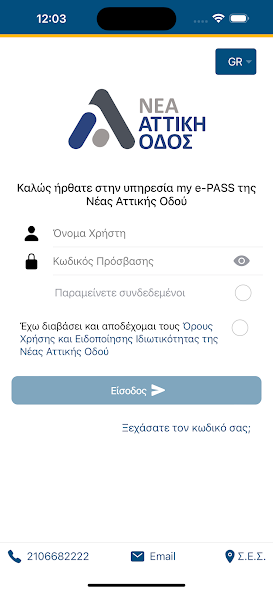
When the user launches the Mobile App, the Welcome screen is displayed. Der Begrüßungsbildschirm enthält den Anmeldebereich, den der Benutzer anmelden oder die anderen Elemente der Kontaktinformationen und der Standorte des Kundendienstzentrums nutzen kann. Durch die Auswahl eines der Elemente wird eine statische Seite mit den Kontaktinformationen für die Telefonnummer des Kundendienstes bereitgestellt und die E -Mail für den Kundendienst angezeigt.
In addition, the Mobile App supports persistent login on the Welcome screen, if selected by the user. Moreover, the Welcome screen also supports a “forgot password” functionality. The user can reset his/her password in case the existing password has been forgotten.
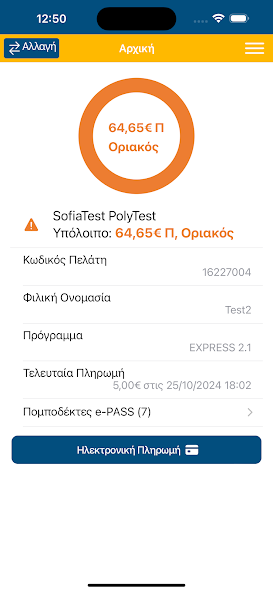
Once the user is logged into the Mobile App, the Home screen is displayed to the user.
Zusätzliche Zusammenfassungsinformationen auf dem Startbildschirm umfassen: den Abonnentencode, das kommerzielle Richtlinienprogramm, für den der Benutzer abonniert wird, der Betrag und den Zeitstempel der letzten Zahlung und die Informationen der Transponders-Account-Karten, die dem Konto der elektronischen Toll-Sammlung (ETC) der Abonnenten zugewiesen sind.
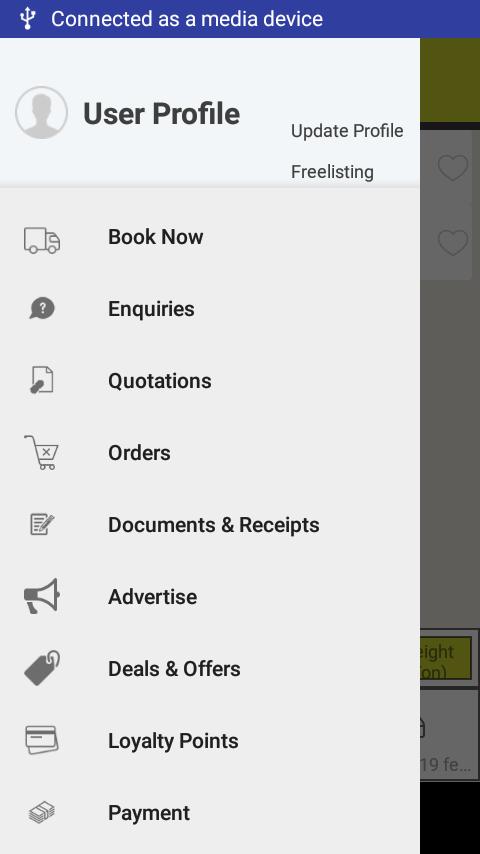
From the Menu screen, the Mobile user can access the following features of the App:
1) View the Account Details for one or more Electronic Toll Collection (ETC) accounts linked to the Mobile user
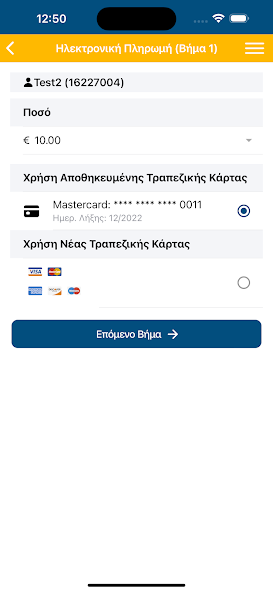
2) Make an Account Payment to replenish the ETC account with either the selection of a new Bank card or with the use of an existing Bank card
3) View the Account Activity of transactions and payment performed within the last 7 days
4) Reset the Password if forgotten
5) Change the existing password
6) Send a request to the Customer Service with the use of a Communication form
7) View the stored Bank Cards
8) View the assigned Transponders-Account cards to the subscribers' Electronic Toll Collection (ETC) account and report them as Lost/Stolen
The Mobile App user can also make online payment using the tokenized redirect services of the cooperating Payment Provider. Sobald die Informationen auf der Kaufseite der mobilen App eingereicht wurden, wird der Kunde zur Bearbeitung der Zahlungsanforderung auf die Eintragsseite des Zahlungsanbieters weitergeleitet.
Eine weitere Funktion der mobilen App besteht darin, dass der Benutzer seine Kontoaktivität für eine der Abonnementkonten anzeigen kann, die mit seinem mobilen Benutzer verknüpft sind. Die in der Kontoaktivität angezeigten Informationen umfassen Maut-Transaktionen, Kontonzahlungen, Transponder-Account-Karten, die jedem Abonnementkonto zugewiesen sind, den Kontostand und den Kontostatus des Kontos.
Die mobile App unterstützt außerdem ein Kommunikationsformular für den Benutzer der mobilen App, um aus einer vordefinierten Liste des Dropdown-Menüs auszuwählen, für den der Kundendienst mit dem Benutzer kommunizieren möchte.
The Mobile App also supports the viewing of the stored Bank Cards and the possibility to remove the Bank cards. Der Benutzer der mobilen App kann die zugewiesenen Karten für Transponders-Account auf das Electronic Toll Collection der Abonnenten (usw.) anzeigen und kann es als verloren/gestohlen melden.
The user can select the display language either in Greek or in English (mutually exclusive) through the settings page. The settings page also supports the Change Password and the Terms of Use and Privacy Policy.







 Herunterladen